 MyRealTest
CPS Tester Click Speed Test
Click speed CPS test: click as fast as you can for 5–60 seconds, with per-second averages, real-time graphs and a Top 100 leaderboard — free, no sign-up.
CPS Tester Click Speed Test
Click as many times as you can in 10 seconds — the higher the better · Just your mouse and your reflexes. Your score lands on the Top 100 board automatically, no sign-up.
About This Test
The CPS (Clicks Per Second) test measures how fast you can click in a fixed time: CPS = clicks ÷ seconds. It combines finger reaction, muscle memory and stamina, and is a classic way gamers benchmark their fundamentals.
Pick a duration first (5, 10, 15, 30 or 60 seconds — 10 is the default). After a 3-2-1 countdown you click the zone as fast as you can. Live metrics show your total clicks, average CPS and your recent real-time speed, all plotted on a dual-line chart.
Everything runs locally in your browser in real time; only your final score is uploaded to the leaderboard. We never store your click trail or any personal data.
How It Works
Why Take It
Quantify your speed
Level up technique
Battle a friend
Tune your setup
Results Preview
Score leaderboard · Top 100
No scores yet — claim the top spot!
Speed tiers
Ranked by your average CPS on the 10-second tier
A finer general speed reference (marathon column omitted). The left column is a 1-second burst, the right your pace on the 10-second+ tier — which is also this site's ranked standard.
| 排名 | 1 秒爆发 | 10 秒 +(标准) |
|---|---|---|
| 🏅 Top 0.94% | 16+ | 12.6+ |
| 🥈 Top 2.12% | 15 | 11.3 |
| 🥉 Top 3.62% | 14 | 10.2 |
| 💪 Top 5.92% | 13 | 9.8 |
| 👍 Top 9.47% | 12 | 8.6 |
| Top 14.80% | 11 | 8.0 |
| Top 22.05% | 10 | 7.2 |
| Top 30.70% | 9 | 6.6 |
| Above average | 8 | 6.1 |
| Average | 7 | 5.4 |
| Below average | 6 | 5.0 |
| Bottom 22.13% | 5 | 4.6 |
| Bottom 15.75% | 4 | 4 |
| Bottom 10.36% | 3 | 3.5 |
| Bottom 6.18% | 2 | 2.8 |
| Bottom 3.69% | 1 | 0.7 |
📊 Quick reference: most first-timers land around 5-7 CPS; with practice 8-10 is reachable, and competitive players aim for 10+, with the very best past 12. 12+ is god-tier (top 1%), 9-11.9 is lightning-fast (tournament level), 7-8.9 is above average, 5-6.9 is typical for first-timers, and 3-4.9 is casual clicking. 💡 Fun fact: one study suggests about 5 seconds of clicking sounds can speed up your internal clock by ~10% and shift subjective time perception by roughly 5 seconds.
Three advanced clicking techniques
Jitter Clicking
Rigidly flex your forearm so your finger shivers fast — place a fingertip on the button, tighten, and the arm shakes into rapid micro-clicks for a big speed boost.
Plus: a fast, solid lift. Minus: needs practice to hold your aim, and sustained use can fatigue or hurt the wrist.
Butterfly Clicking
Rest both your index and middle finger on one button and alternate them as fast as you can. Coordinating the two can roughly double your regular click speed.
Plus: extremely fast, widely used in Minecraft PvP. Note: some servers restrict it.
Drag Clicking
Drag your finger down across the key cap from the top; the friction lets the switch register several clicks as your finger slides.
Plus: extreme CPS. Cons: depends heavily on the mouse surface and switch quality, and is harder to control consistently.
CPS in competitive games
Minecraft PvP — CPS is the lifeblood of BedWars, SkyWars and duel/practice modes: a higher CPS means faster attacks and stronger knockback, and some bridging tricks (like godbridging) also need a steady high CPS. Note: since Java 1.9 the default attack cooldown nerfs CPS, so PvP servers usually turn it off to keep skill dominant.
FPS semi-auto weapons — In FPS games, fast clicking becomes a faster semi-auto rate of fire, which combined with good aim wins you the firefight.
Mice and your CPS
Mouse hardware directly affects your clicks per second:
Polling rate — A gaming mouse at 1000Hz or higher registers clicks faster.
Weight — Around 130g helps you move steadily and reduce strain, keeping your CPS steadier over long sessions.
Switches — Lower actuation force and faster debounce time make each click respond quicker.
Why practice CPS?
- Sharper reactions — trains the finger muscles to fire more efficiently and raises your ceiling.
- Sharper cognition — a fun way to train hand-eye coordination and processing speed.
- Real techniques — practice jitter and butterfly safely without match pressure.
- Track your progress — you'll quickly see if a new mouse or grip really helps.
FAQ
It stands for Clicks Per Second — total clicks divided by the seconds spent. For example, 70 clicks in 10 seconds gives you a CPS of 7.0.
Related Tests
 Just for Fun
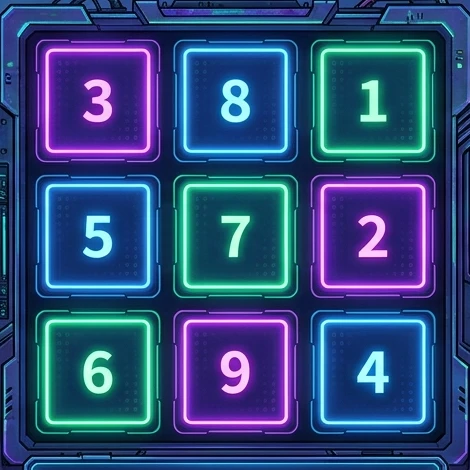
Schulte Grid Attention Test
Schulte Grid is a classic visual attention training tool. Find and click numbers in order within a grid to train your visual search speed and focus.
 Just for Fun
Reaction Time Test
Free online reaction time test: click the moment the red square turns green, 5 rounds averaged. Human average is about 250 ms — how fast are you?
 Just for Fun
Number Memory Test
Free number memory test: digits flash and hide — click them in ascending order. Starts at 3 digits and climbs to your limit; best span hits the leaderboard.
 Just for Fun
FPS Aim Trainer Test: Track Your Accuracy
A browser FPS aim trainer that scores your accuracy and best combo, then ranks you on a Top 100 leaderboard. Free, no sign-up.